If you're needing to bulk-import websites for a specific customer, we've made a simple script to handle this, rather than having to add each one to the UI individually.
=====================================================
Create a simple CSV with a list of all of websites you want to import (just the urls on each line, don't need any other data) and save it somewhere easy to call from PowerShell (eg. C:\temp\websites.csv)
Download the script file
Save it somewhere easy to run, such as C:\temp\HuduBulkWebsiteImporter.ps1
Open PowerShell as Administrator
Depending on your computer's policies, you may have to set your ExecutionPolicy to allow the script
Run this command and hit enter:
Set-ExecutionPolicy RemoteSigned -Scope CurrentUserWhen asked, type Y and press Enter.
Run the Script
In PowerShell change directory to where you saved the script, then call the script:
eg.
cd C:\temp.\HuduBulkWebsiteImporter.ps1
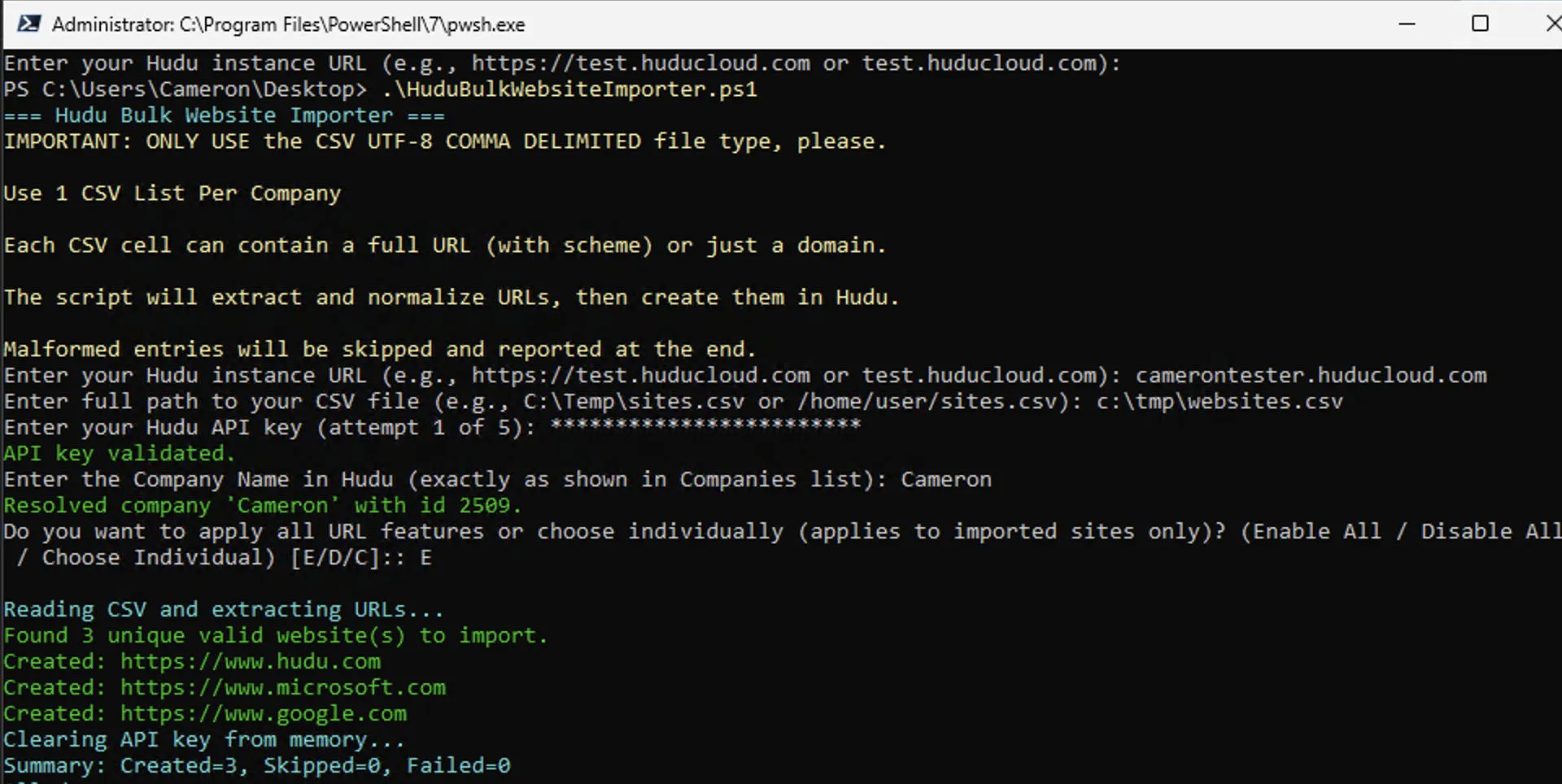
Answer the Questions
The script will prompt you with options one at a time:
Hudu URL
Example: https://yourcompany.huducloud.com
CSV File Path (where your file is saved)
eg.
C:\temp\websites.csv
Hudu API Key
Paste in your API key (from Hudu settings).
Company Name
Type the company name exactly as shown in Hudu.
Domain Features
The script will prompt you about enabling or disabling features (DNS, SSL, WHOIS, DMARC, DKIM, SPF). You can choose to enable them all, disable them all, or choose each option.
The script will tell you how many websites were created, skipped, or failed.
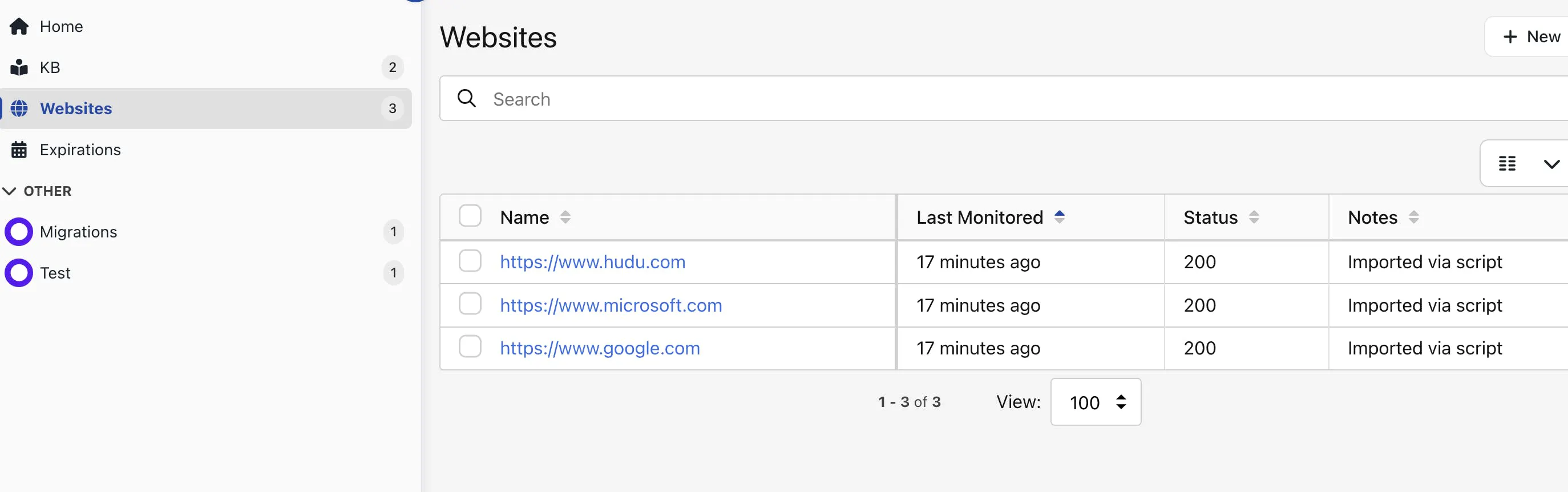
Check in Hudu
Log into Hudu, open the company, and look under Websites.
If some failed, read the "Skip Report" the script shows. It explains why and how to fix.