


If you're using Entra ID as your IdP for SSO/SAML/SCIM/JIT, we've created an easy-to-run script to automatically configure your Entra ID tenant with Hudu.
Further Reading - SAML SSO with Microsoft Entra ID
Further Reading - Just in Time (JIT) Provisioning
Script is located at the bottom of this post and is also attached.
Getting Started
setup:
If you want to configure specific user/service permission scopes, you can enter those in the arrays named $DelegatedPermissions and $ApplicationPermissions, respectively. If you aren't sure, you can just leave these alone.
Running:
Simply invoke this script to get started, you will be prompted for your Hudu Instance URL and desired App registration name (defaults to your Hudu instance URL). Then, Azure CLI will be installed (if not installed already) via winget (winget will be automatically installed if it's not already). Azure CLI is fairly large, so this part may take a while.
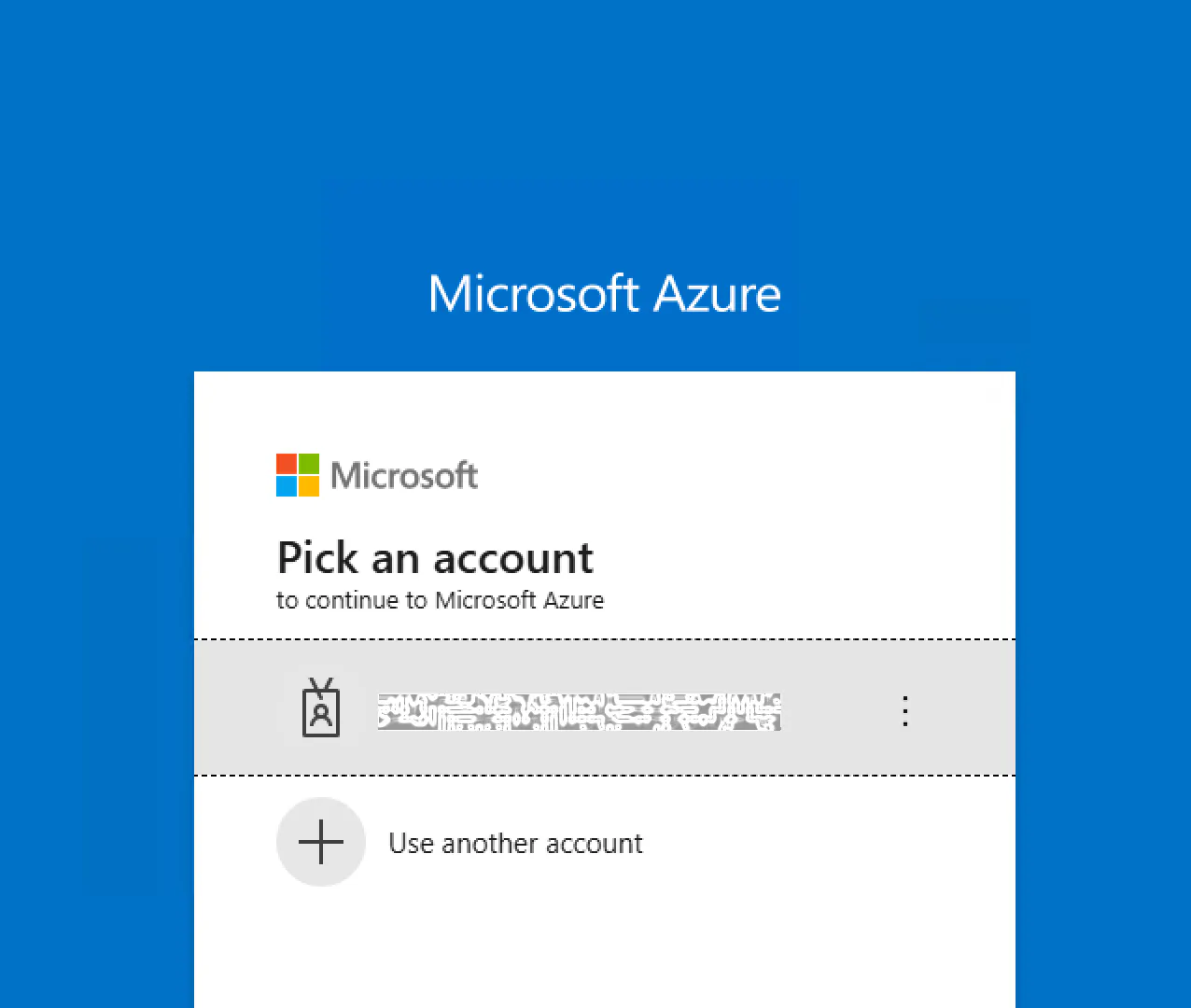
Your default browser will open with a login page to sign in with AZ CLI if it cannot find a valid context to use. Complete sign-in with a user that has sufficient permissions to create a new app registration.
You'll then be prompted to select your desired tenant. (hit enter for current or default)

If an app registration by the same name already exists, it will simply add any user/service level permissions you've specified.
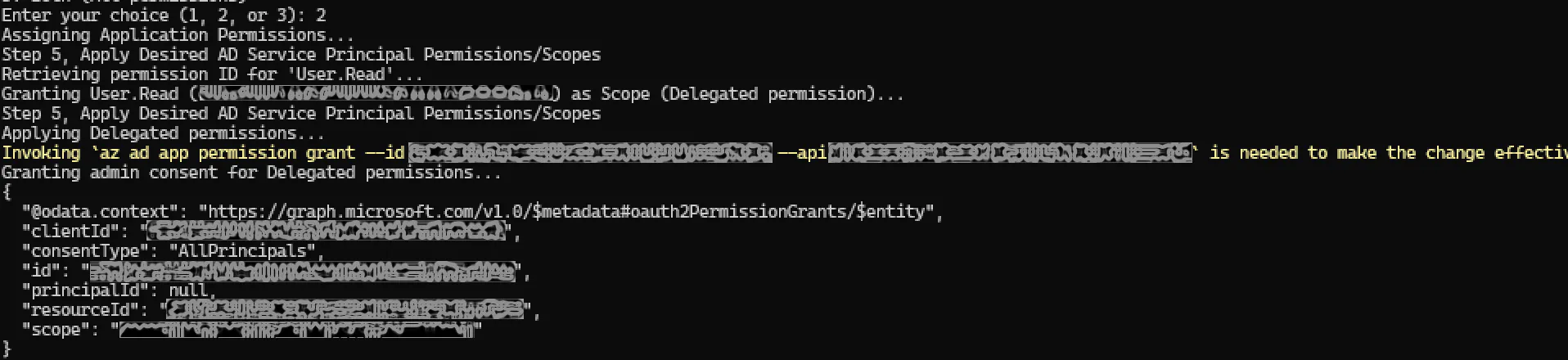
Some values/secrets needed for setup on the Hudu-side will be printed one time. Be sure not to lose your application secret!

Lastly, it will prompt you to open some browser window to complete your setup. If you select 1, for yes, it will open:
the Hudu/Entra setup guide
JIT Provisioning setup info (optional)
your Hudu SAML setup page
Your newly registered App's setup blade in Azure

After setting up and securely recording the aforementioned values, press enter to clear your powershell session's sensitive variables.
Script
# Set variables for any added user/service principal permissions if going outside the box.
$DelegatedPermissions=@("User.Read")
$ApplicationPermissions=@("User.Read")
 # e.g. "myinstance.huducloud.com"
$HuduBaseURL="yourinstance.hudu.com"
# $DelegatedPermissions = @("User.Read","User.ReadBasic.All","GroupMember.Read.All","User.Read.All")
# $ApplicationPermissions=@("User.Read.All,GroupMember.Read.All","Directory.Read.All")

# Enter these variables in-script
$HuduBaseURL = $HuduBaseURL ??
    $((Read-Host -Prompt 'Set the base domain of your Hudu instance (e.g https://myinstance.huducloud.com)') -replace '[\\/]+$', '') -replace '^(?!https://)', 'https://'
$HuduDomain = [uri]$HuduBaseURL
$HuduHost = $HuduDomain.Host

#Useful urls

$usefulURLs = @(
    @{ name = "Microsoft Entra Setup"; url = "https://support.hudu.com/hc/en-us/articles/11311225368471-SAML-SSO-with-Microsoft-Entra-ID" },
    @{ name = "JIT Provisioning"; url = "https://support.hudu.com/hc/en-us/articles/33096409741975-Just-in-Time-JIT-Provisioning-with-Microsoft-Entra-ID-Beta-Access-Required" },
    @{ name = "Hudu Scim/SAML/SSO Config"; url = "$HuduBaseURL/saml" }
)


# Prompt for SAM App Display Name with Hudu domain as default
$SAMDisplayName = $SAMDisplayName ?? (
    Read-Host -Prompt "Enter a name for your App Registration or leave blank to use '$HuduHost'"
)
if ([string]::IsNullOrWhiteSpace($SAMDisplayName)) {
    $SAMDisplayName = "$HuduHost"
}
$SAM_Alt_Redirect="$HuduBaseURL/saml/consume" # Alt URL for redirects


$DelegatedPermissions=@()
$PermissionsToAssign=$ApplicationPermissions

# instantiate some other variables
$env:AZURE_CLI_ENCODING = "UTF-8"
[Console]::OutputEncoding = [System.Text.Encoding]::UTF8
$HorizontalRule="--------------------"

# install/import az module, set initial AZ context
foreach ($module in @('Az')) {if (Get-Module -ListAvailable -Name $module)
    { Write-Host "Importing module, $module"; Import-Module $module } else {Write-Host "Installing and importing module $module...... Please be patient, it can take a while."; Install-Module $module -Force -AllowClobber; Import-Module $module }
}
if (-not (Get-AzContext)) {
    try {
        Connect-AzAccount -UseDeviceAuthentication -ErrorAction Stop
    } catch {
        Write-Error "Failed to connect to Azure. Error: $_"
        exit 1
    }
} else {
    Write-Host "AZContext already set. Skipping Sign-on."
}


# Define a few useful methods
function Select-ObjectFromList($objects, $message, $allowNull = $false) {
    $validated = $false
    while (-not $validated) {
        if ($allowNull -eq $true) {
            Write-Host "0: None/Skip/Custom"
        }
        for ($i = 0; $i -lt $objects.Count; $i++) {
            $object = $objects[$i]
            Write-Host "$($i + 1): $($object)"
        }

        $PermissionsProfile = Read-Host $message

        if ([string]::IsNullOrEmpty($PermissionsProfile) -or $PermissionsProfile -lt 0 -or $PermissionsProfile -gt $objects.Count) {
            Write-Host "Invalid selection. Please enter a number from above."
        } elseif ($PermissionsProfile -eq 0 -and $allowNull) {
            return $null
        } else {
            $validated = $true
        }
    }
    return $objects[$PermissionsProfile - 1]
}

# Checking for AZ CLI and installing
Write-Host "Checking for AZ CLI..."
$azCommand = Get-Command az -ErrorAction SilentlyContinue
if (-not $azCommand) {
    Write-Host "AZ CLI command not found! If this script was ran as Administrator, we can install it, let's check."
    if (-not ([Security.Principal.WindowsPrincipal] [Security.Principal.WindowsIdentity]::GetCurrent()).IsInRole([Security.Principal.WindowsBuiltInRole]::Administrator)) {
        Write-Error "You will need AZ CLI to run this script. If you want to install AZ CLI with this script, run again as admin, otherwise install AZ CLI Manually before running..."
        exit 1
    }
    try {
        Write-Host "Attempting WinGet install of AZ CLI via PowerShell module from PSGallery..."
        Write-Host "Setting up Nuget Provider for AZ CLI... $(Install-PackageProvider -Name NuGet -Force)"
        Write-Host "Setting up PSGallery for AZ CLI... $(Install-Module -Name Microsoft.WinGet.Client -Force -Repository PSGallery)"
        Write-Host "Ensuring Winget for AZ CLI... $(Repair-WinGetPackageManager)"
        Write-Host "Using Winget to install Azure CLI... $(winget install -e --id Microsoft.AzureCLI)"
    } catch {
        write-host "Couldnt install AZ CLI via Winget. Attempting install via MSI package."
        Write-Host "Downloading MSI Package to .\AzureCLI.msi... $(Invoke-WebRequest -Uri https://aka.ms/installazurecliwindowsx64 -OutFile .\AzureCLI.msi)"
        Write-Host "Installing AZ CLI via MSI Package in Background... $(Start-Process msiexec.exe -Wait -ArgumentList '/I AzureCLI.msi /quiet')"
        Write-Host "Clean up MSI Package file post-install... $(Remove-Item .\AzureCLI.msi -Force)"
    }
} else { Write-Host "Azure CLI is available at: $($azCommand.Path)" }

# Sign in with AZ CLI
Write-Host "AZ CLI is present and available. Attempting login with AZ CLI if not already authenticated..."
try {
    # Check if already logged in
    $account = az account show --output json | ConvertFrom-Json
    if ($account -and $account.id) {
        Write-Host "Already logged into Azure CLI as: $($account.user.name)"
    } else {
        throw "No active Azure account."
    }
} catch {
    # If not logged in, log in
    Write-Host "Not logged into Azure CLI. Attempting to log in..."
    try {
        az login --use-device-code
        Write-Host "Successfully logged into Azure CLI."
    } catch {
        Write-Error "Failed to log in to Azure CLI. Exiting."
        exit 1
    }
}
# Step 1: List Available Tenant IDs (Optional)
Write-Host "Step 1: Select Tenants"
$Tenants = az account list --query "[].{Name:name, TenantId:tenantId, SubscriptionId:id}" --output json | ConvertFrom-Json
Write-Host "Available Tenants:"
Write-Host $Tenants
$TenantId = Read-Host "Enter the Tenant ID to use (leave blank for current)"
if ($TenantId -ne "") {
    az account set --tenant $TenantId
    Write-Host "Switched to Tenant: $TenantId"
} else {
    $TenantId = az account show --query tenantId --output tsv
    Write-Host "Using current Tenant: $TenantId"
}

# Step 2, find or create app
Write-Host "Step 2: Find or Create App"
$AppId = az ad app list --all --display-name "$SAMDisplayName" --query "[?displayName=='$SAMDisplayName'].appId" --output tsv
if ($AppId) {
    Write-Host "App '$SAMDisplayName' already exists with ID: $AppId"
} else {
    Write-Host "Creating new App Registration: $SAMDisplayName"
    $AppId = az ad app create `
        --display-name "$SAMDisplayName" `
        --web-redirect-uris "$HuduBaseURL" "$SAM_Alt_Redirect" `
        --query appId --output tsv
    Write-Host "Created App with ID: $AppId"
}

# Step 3, find or create Service Principal
Write-Host "Step 3: Find or Create Service Principal"
$ServicePrincipalId = az ad sp list --all --query "[?appId=='$AppId'].id" --output tsv
if (-not $ServicePrincipalId) {
    Write-Host "Creating Service Principal for App ID: $AppId"
    $ServicePrincipalId = az ad sp create --id "$AppId" --query id --output tsv
    Write-Host "Created Service Principal with ID: $ServicePrincipalId"
} else {
    Write-Host "Service Principal already exists with ID: $ServicePrincipalId"
}

# Step 4: Get Service Principal Type(s) from user, desired permissions, scopes, roles
Write-Host "Step 4: Get Service Principal Type(s) from user, desired permissions, scopes, roles"
$GraphAppId = az ad sp list --filter "displayName eq 'Microsoft Graph'" --query "[].appId" --output tsv
$PermissionsToAssign = @()
$PermissionsToAssign = $DelegatedPermissions + $ApplicationPermissions
Write-Host "Select which permissions to assign:"
Write-Host "1. Delegated Permissions (User-level)"
Write-Host "2. Application Permissions (Service-level)"
Write-Host "3. Both (All permissions)"
$PermissionsProfile = Read-Host "Enter your choice (1, 2, or 3)"
switch ($PermissionsProfile) {
    "1" {
        Write-Host "Assigning Delegated Permissions..."
        $PermissionsToAssign = $DelegatedPermissions
        $PermissionType = "Delegated"
    }
    "2" {
        Write-Host "Assigning Application Permissions..."
        $PermissionsToAssign = $ApplicationPermissions
        $PermissionType = "Application"
    }
    "3" {
        Write-Host "Assigning Both Delegated and Application Permissions..."
    }
    Default {
        Write-Host "Falling Back to Use Both Delegated and Application Permissions..."
    }
}
$GraphAppId = az ad sp list --filter "displayName eq 'Microsoft Graph'" --query "[].appId" --output tsv


# Step 5, Apply Desired AD Service Principal Permissions/Scopes
Write-Host "Step 5, Apply Desired AD Service Principal Permissions/Scopes"
$DelegatedScopes = @()
$ApplicationRoles = @()
foreach ($permission in $PermissionsToAssign) {
    Write-Host "Retrieving permission ID for '$permission'..."
    $PermissionId = az ad sp show --id $GraphAppId --query "appRoles[?value=='$permission'].id" --output tsv
    if (-not $PermissionId) {
        $PermissionId = az ad sp show --id $GraphAppId --query "oauth2PermissionScopes[?value=='$permission'].id" --output tsv
        if ($PermissionId) {
            Write-Host "Granting $permission ($PermissionId) as Scope (Delegated permission)..."
            $DelegatedScopes += "$PermissionId=Scope"
        } else {
            Write-Host "Warning: Permission '$permission' not found in Microsoft Graph API!"
        }
    } else {
        Write-Host "Granting $permission ($PermissionId) as Role (Application permission)..."
        $ApplicationRoles += "$PermissionId=Role"
    }
}
Write-Host "Step 5, Apply Desired AD Service Principal Permissions/Scopes"
if ($DelegatedScopes.Count -gt 0) {
    Write-Host "Applying Delegated permissions..."
    foreach ($scope in $DelegatedScopes) {
        az ad app permission add --id $AppId --api $GraphAppId --api-permissions "$scope"
    }
}
if ($ApplicationRoles.Count -gt 0) {
    Write-Host "Applying Application permissions..."
    foreach ($role in $ApplicationRoles) {
        az ad app permission add --id $AppId --api $GraphAppId --api-permissions "$role"
    }
}
if ($DelegatedScopes.Count -gt 0) {
    Write-Host "Granting admin consent for Delegated permissions..."
    az ad app permission grant --id $AppId --api $GraphAppId --scope ($DelegatedScopes -replace "=Scope", "" -join " ")
}
if ($ApplicationRoles.Count -gt 0) {
    Write-Host "Granting admin consent for Application permissions..."
    az ad app permission admin-consent --id $AppId
}

$usefulURLs += @{ name = "Further Config for $SAMDisplayName Registration"; url = "https://portal.azure.com/#blade/Microsoft_AAD_IAM/StartboardApplicationsMenuBlade/overview/appId/$AppId" }

$AppSecret = az ad app credential reset --id $AppId --query password --output tsv
# Print final summary in a structured way
Write-Host "${HorizontalRule}General App Registration Info${HorizontalRule}"
Write-Host "**Application ID:** $AppId"
Write-Host "**Tenant ID:** $TenantId"
Write-Host "**Service Principal ID:** $ServicePrincipalId"
Write-Host "**App Secret (CRITICAL - PROTECT THIS SERET, ONLY SHOWN ONCE)**: $AppSecret" -ForegroundColor Red
Write-Host "${HorizontalRule}Additional Info${HorizontalRule}"
Write-Host "**Graph App ID:** $GraphAppId"
Write-Host "**Microsoft Subscription ID:** $($AzAccounts | Where-Object { $_.isDefault -eq $true })"
Write-Host "**Delegated Scopes Added:** $($DelegatedScopes.Count)"
Write-Host "**Application Roles Added:** $($ApplicationRoles.Count)"
Write-Host "`nFinal Steps Required in Azure Portal:`n" -ForegroundColor Yellow
Write-Host "1. We will now open the Enterprise App page in Azure where you must:"
Write-Host "   - Paste Values/Secrets and Configure SAML settings"
Write-Host "   - copy your certificate (PEM format) to Hudu setup page"
Write-Host "   - Set the NameID to 'user.userprincipalname'"
Write-Host "`nReference Guide:"
Write-Host "   https://support.hudu.com/hc/en-us/articles/11311225368471-SAML-SSO-with-Microsoft-Entra-ID" -ForegroundColor Green
# Prompt user
if ($(Select-ObjectFromList -objects @("yes","no") -message "Open Browser to Complete Setup?") -eq "yes"){
    foreach ($item in $usefulURLs) {
        Write-Host "🌐 Opening $($item.name): $($item.url)" -ForegroundColor Magenta
        Start-Process $item.url
    }
}
Read-Host "${HorizontalRule}Prese Enter to CLEAR SCREEN AND UNSET LOCAL SECRETS (*IMPORTANT*)!${HorizontalRule}"
#**SECURELY UNSET SENSITIVE VARIABLES**
$AppSecret = $null
$TenantId = $null
$ServicePrincipalId = $null
$GraphAppId = $null
Remove-Variable -Name AppSecret, TenantId, ServicePrincipalId, GraphAppId, ApplicationRoles, DelegatedScopes -ErrorAction SilentlyContinue
[System.Environment]::SetEnvironmentVariable("AppSecret", $null, "Process")
[System.Environment]::SetEnvironmentVariable("TenantId", $null, "Process")
clear-host
Write-Host "If the output shown between these two lines empty, it looks like you're done! If you see anything between these lines, please make sure you clear your secrets."
Write-Host "$HorizontalRule"
Write-Host "$AppSecret $TenantId $ServicePrincipalId $GraphAppId $ApplicationRoles $DelegatedScopes"
Read-Host "$HorizontalRule"
clear-hoshttps://files-us-east-1.t-cdn.net/files/pjRPCBMiV5uuYAguft4kt t