


Easily Keep Tabs on Important Key Hudu Health Metrics
Tracking health information of your Hudu instance can be helpful for even those who aren't self-hosted.
What gets Tracked
Basic/Overall Info
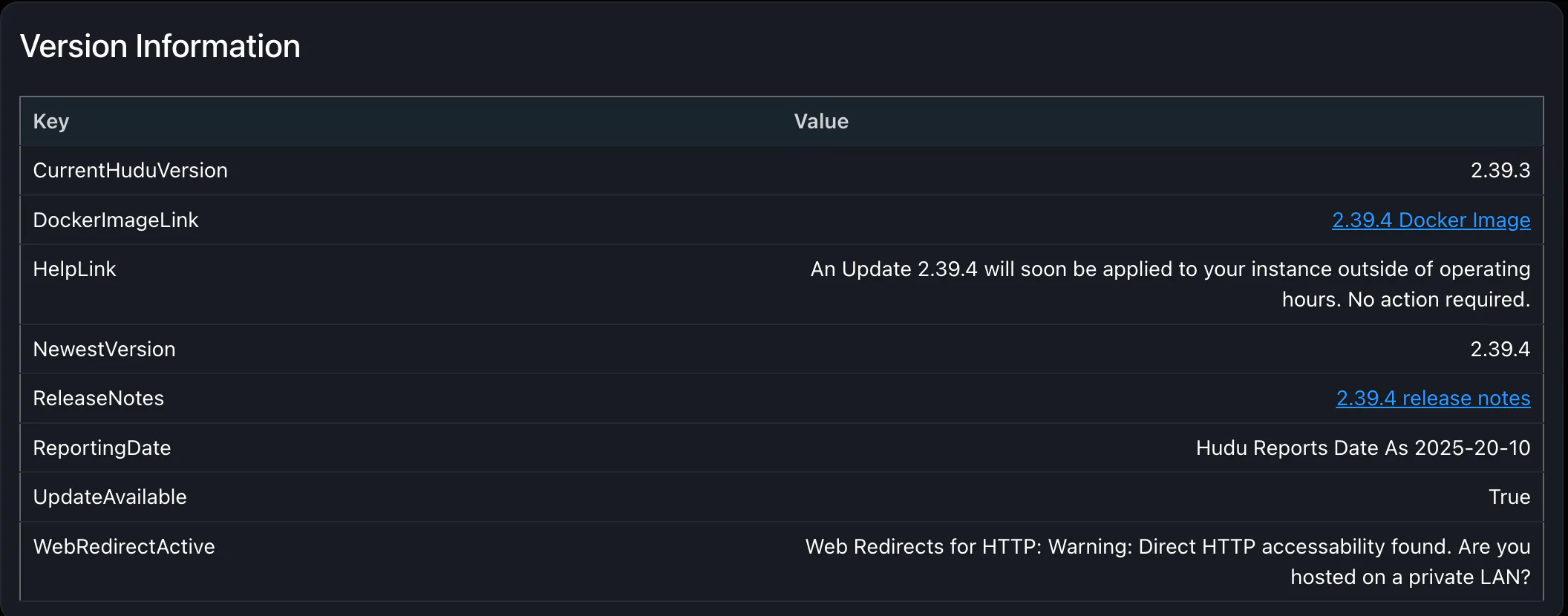
Current Version / Latest Version
Is an Update Available?
If you're self-hosted Links for Self-Hosted Upgrades Docs are present, otherwise Help Information / Action item regarding Version is made available
Link to new Docker image are provided
Links to Release notes are provided
Hudu Reported Date - Date, as reported by Hudu. Can be useful for self-hosted information or just to see when this article was last updated
Web Redirects for HTTP - this is important to make sure no data can be sent to/from Hudu over insecure / Non-TLS channels.
Uploads / Photos Statistics
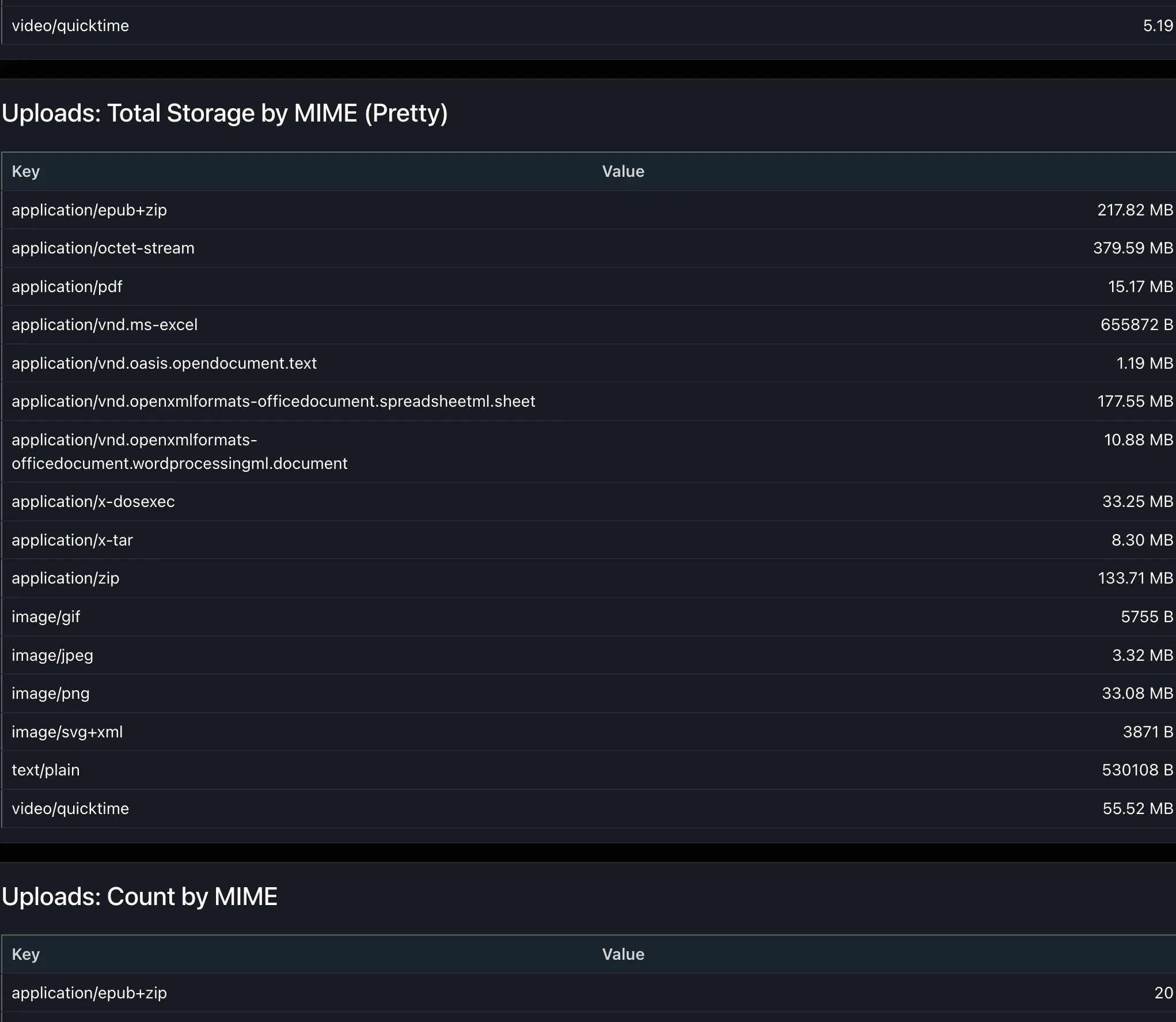
Uploads By MIMEtype / Filetype - a breakdown of how many of which files are most prominent
Space Used for each MimeType / Filetype - how much is used where?
Newest Files per MimeType - Which files are contributing to these numbers as of late?
Uploads Per Month - Over Time, how many uploads does your instance add ever month?
Uploads per Relationship Type - What are all these uploads related to?
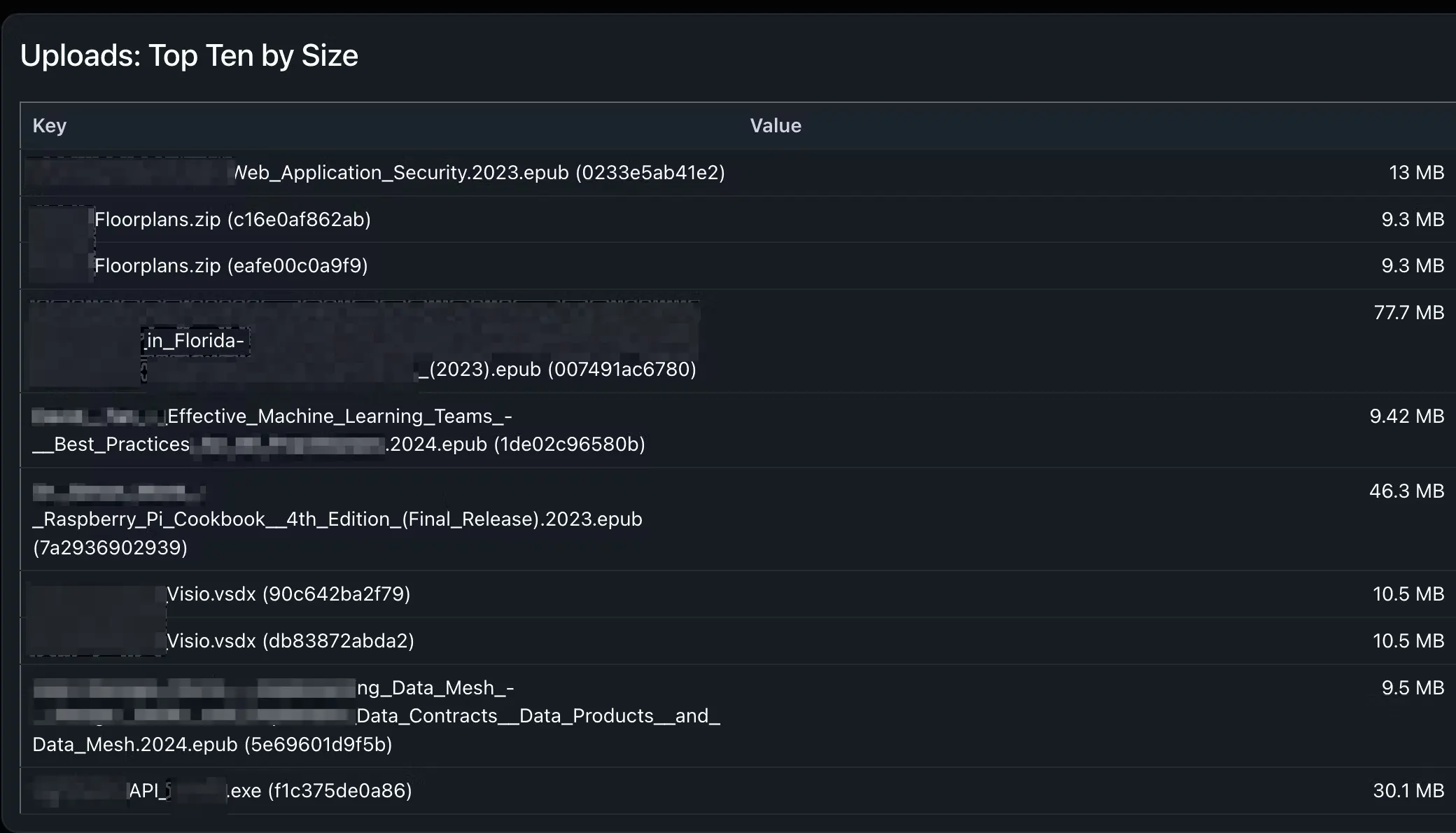
Top-Ten largest Uploads by Size
Duplicated Upload Names - Top 10 Most-Frequent Filenames for Uploads - How many of them are duplicates that can be removed?
Photos by Relationship Type - What are all these photos related to?
Articles Statistics
Word Count, Largest - What article in my instance has the most words?
Word Count, Smallest - Are there any articles that are empty or nearly empty?
Text Length Longest -
If there are any base64-embedded images, those can increase wait times when making database requests. This is a reliable way to find these
Shortest Text Length - Great for finding empty or near-empty articles
(Mime-Type is an identifier that specifies the format of a file or document)
Setting Up
Setting Up is easy, All you need to do is:
Enter your Hudu Base URL in this variable, below
$HuduBaseUrl = "https://yourhuduURL.huducloud.com"If you want a custom name for your global kb article, you can set this to anything you'd like, as long as it makes sens
$PreferredArticleTitle = "Hudu Health Report"If you are self-hosted, some alternative information is given to you, so you'll want to set $selfhosted to $true here:
$HuduSetup = @{
    SelfHosted=$false
    HuduImage="hududocker/hudu" #for beta, use hududocker/hudubeta
}
If you are on beta, you can switch the channel that you are checking as well. The only downside is that there are less tags available for beta and thus somewhat limited tag differentiation.
If running continuously, you'll want to fill out your AZ keystore information for safe and continuous secrets management. We only need one secret for this one, $huduAPIKey. Set up the script to run on a schedule in Task Scheduler to runAs a user that can authenticate to AZ keystore.
$UseAZVault = $true
$AzVault_HuduSecretName = "HuduAPIKeySecretName" # Name of your secret
$AzVault_Name           = "MyVaultName"          # Name of your vault
That's It!
The script should only take a few seconds to run and will generate a KB article with all of the selected information.