See Also: Community Github Repo - Endpoint Self-Reporting
What it does:
This grabs and tracks information into a (new or existing) asset in Hudu! Including:
system/hardware information,
WAN ip,
software stats,
user info (or whatever else you add)
It matches assets by both Company ID and Serial Number, as not to overlap. It can be a handy tool or starting point for auto-documenting internal or client assets
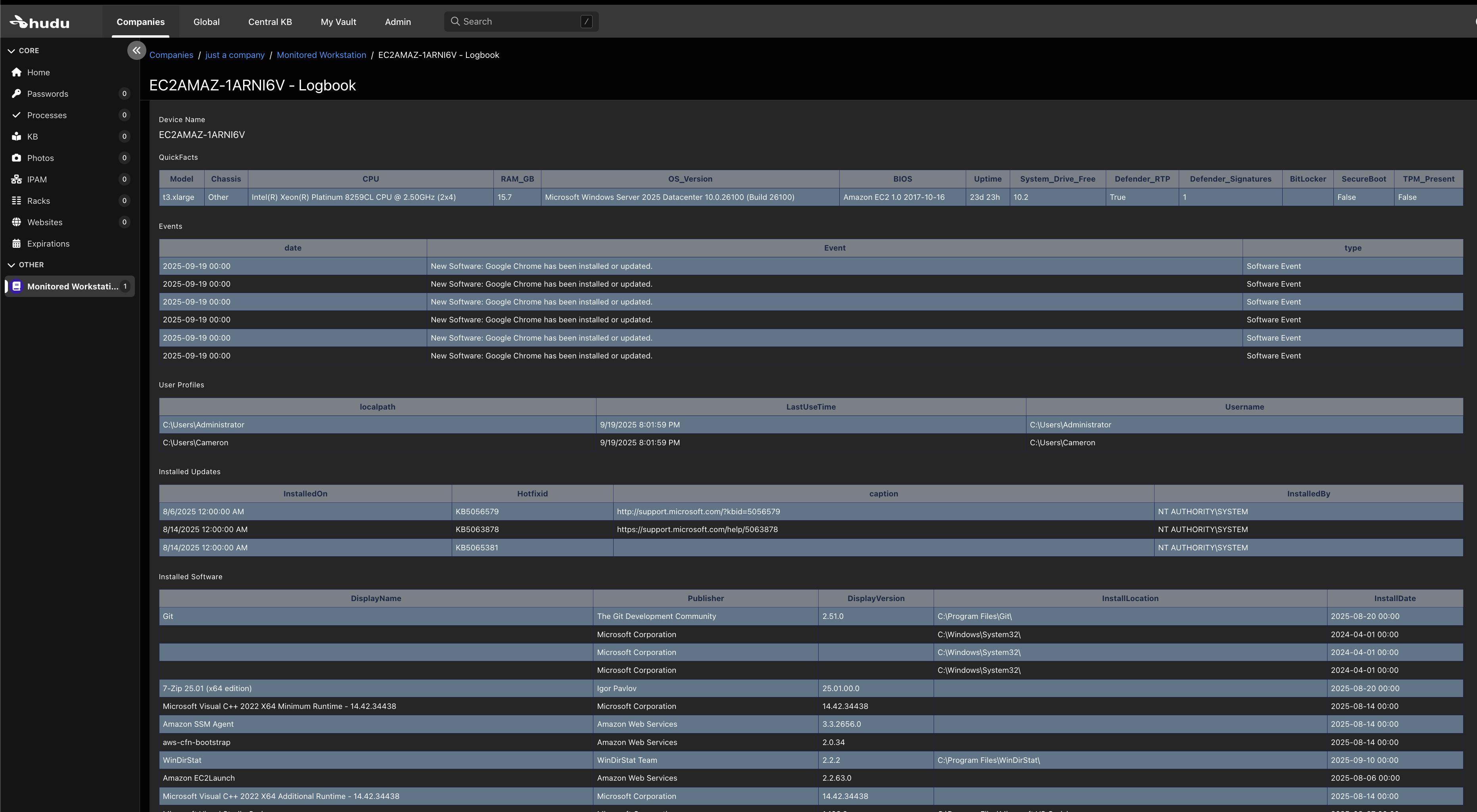
While the provided 'blank slate' might be more than enough for some, It's pretty easy to add on to as well, if you find yourself in a position where you need to track more, or different, data you can do either of the following:
Simply run this script to bring your plan to fruition. If a layout of the same name doesn't exist or has been removed, it will be created in Hudu as you describe in this script.
Modify the associated Asset Layout in Hudu alongside the template's labels and field types in this script (be sure to match these)
The metrics that are built-in / provided allow for checking HotFix/Update Status, Privilege/Access Creep, TPM or Bitlocker Status, Installed Software, and a few other handy items across a few machines or an entire fleet. These assets can be auto-updated with automation. The assets that get created are easy to work with and are searchable, relatable and easy to move if ever needed!
If you want to automate this script running across a number of machines it's recommended to do so with Azure KeyVault. In doing this, you'll just need to make sure that they are Domain-Joined and can be logged in by a user-principal that has read access to secrets in your Azure KeyVault / Keystore.
For details, see: 'How to Set Up Azure Key Vault' Article in the community
To expand on this, you could utilize Hudu's company-scoped API keys to prevent any possibility of crosstalk. This would just require different secret names in several (or the same) KeyVault(s). When setting up on a Windows machine, you can just use task scheduler to schedule these.
NOTE: be sure to RunAs the aforementioned user principal (in order to bypass any interactive password prompts)
Getting Started:
There's really just three things to enter if you have your Hudu API key set up in AZ keyvalult:
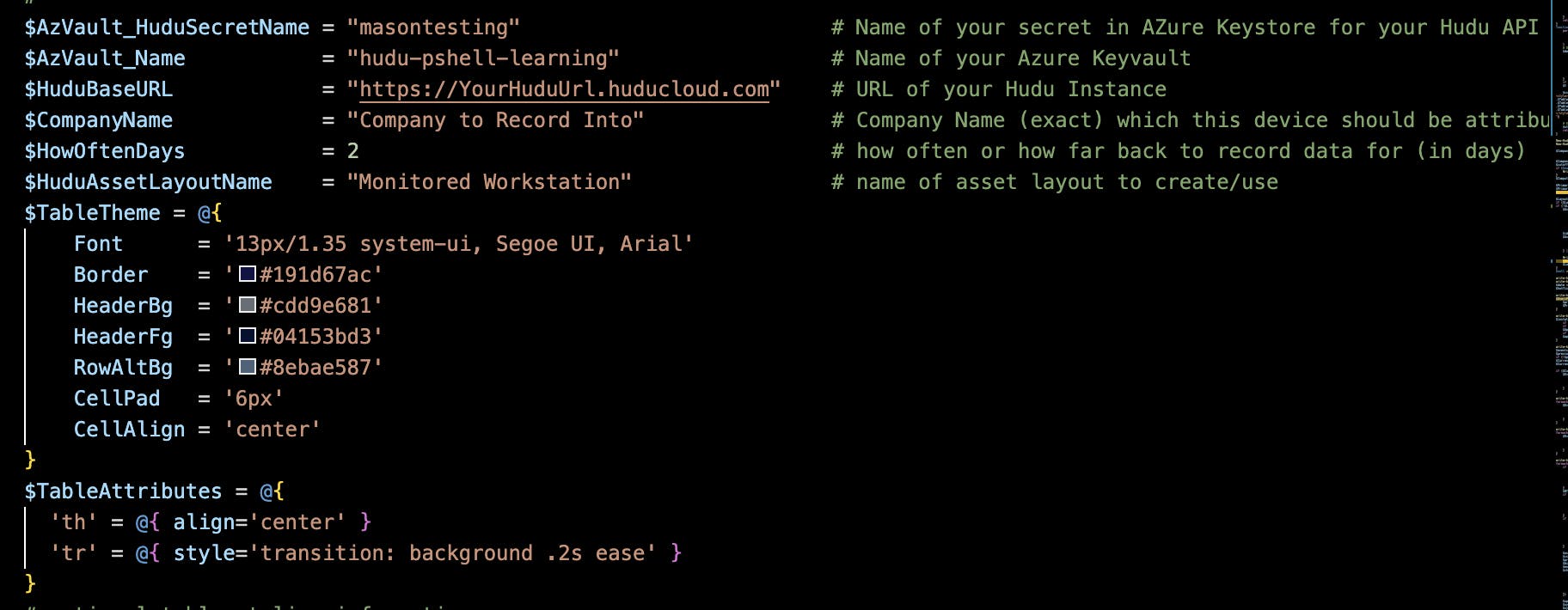
You'll need to set two variables to enable Azure KeyVault authentication (for your secrets storage).
$AZVault_HuduSecretName(the name for your Azure KeyVault Secret)$AZVault_Name(the name for your Azure KeyVault)$HuduBaseURL(the url to your hudu instance, of course)
If you're just giving it a try or testing a new styling, you can bypass Azure KeyVault secrets fetching by placing your API key with the actual value. Not using a Secrets Storage provider Like Azure KeyVault or OnePassword CLI is not recommended for production, especially if designed for non-interactive use.
New-HuduAPIKey "$(Get-AzKeyVaultSecret -VaultName "$AzVault_Name" -Name "$AzVault_HuduSecretName" -AsPlainText)"New-HuduAPIKey "urkeyhere" # DONT DO THIS IN PRODUCTION ;(
As far as the rest, that's really up to your preferences and requirements:
$HowOftenDaysdenotes how far back to fetch data. It's how-often because its meant to echo how often you run this script. If how often you run it and how far back it gets data is the same number, then you always have all the data, (even historical data in Hudu records).$CompanyNameis the company that this script will be running for or matching into. If an asset for this company doesn't exist with the same serial number / name or company / name, it will be created. If a match is found, it will be updated.$HuduAssetLayoutNameis the name of the asset layout we'll be searching for. You can name this anything, and if it doesn't exist, it will be created. If it does exist it will be updated into.
If the default colors aren't for you, congratulations, because color is the zest of life. Fortunately, it's possible to set up certain colors or styles even just for certain assets or companies. Just add any table header, table body, or any other table-friendly css stylings/colors in your:$TableThemeand/or:$TableAttributesvariables. These are injected into each html table / field except device name.
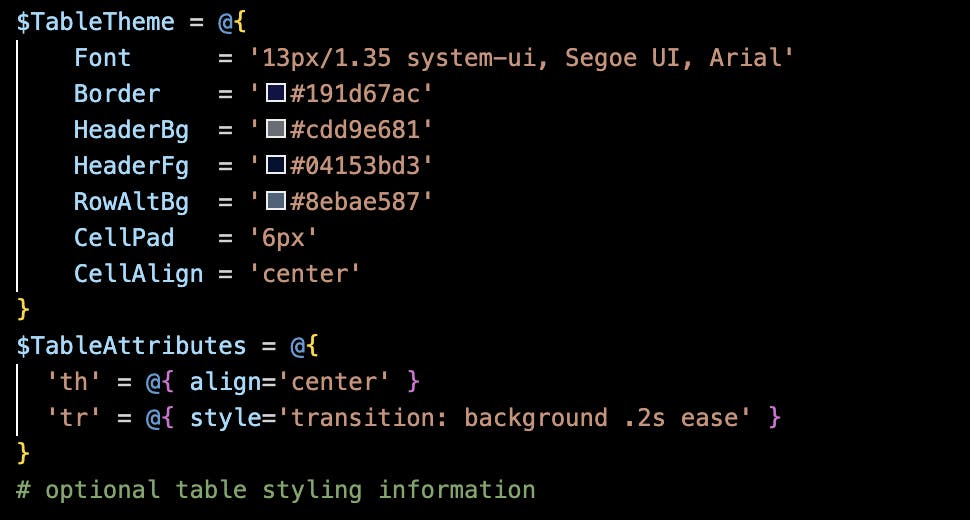
Protip: If you want an added field that is specifically just for manually-entered notes you can simply add this one line to this script, and this field will be reserved for human documentation:
(in the asset layout specification, simply paste a new field in there.)
As in taking the provided/boilerplate layout:
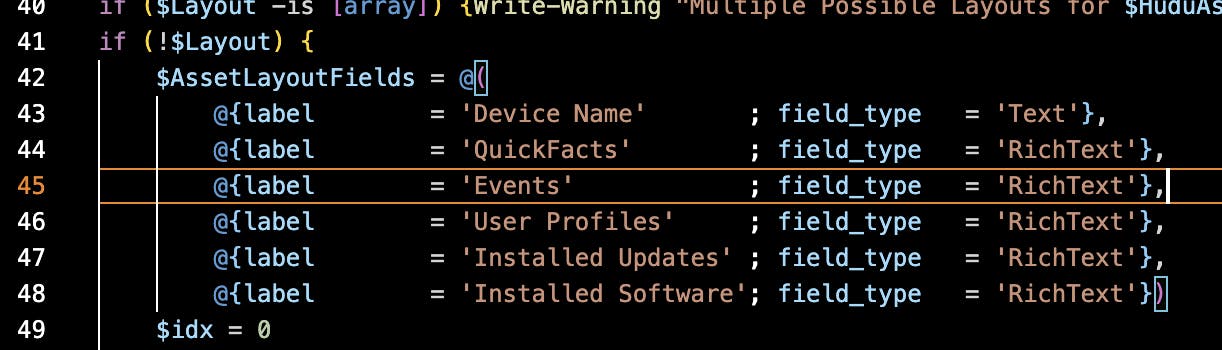
And adding a field in there, just for people- so that nothing we write gets overwritten.