


See Also - Community Github Repo - Splunk-Sync
We've created a PowerShell script that allows you to import your Hudu logs into your Splunk Cloud instance.
Script is located at the bottom of this post and is also attached.
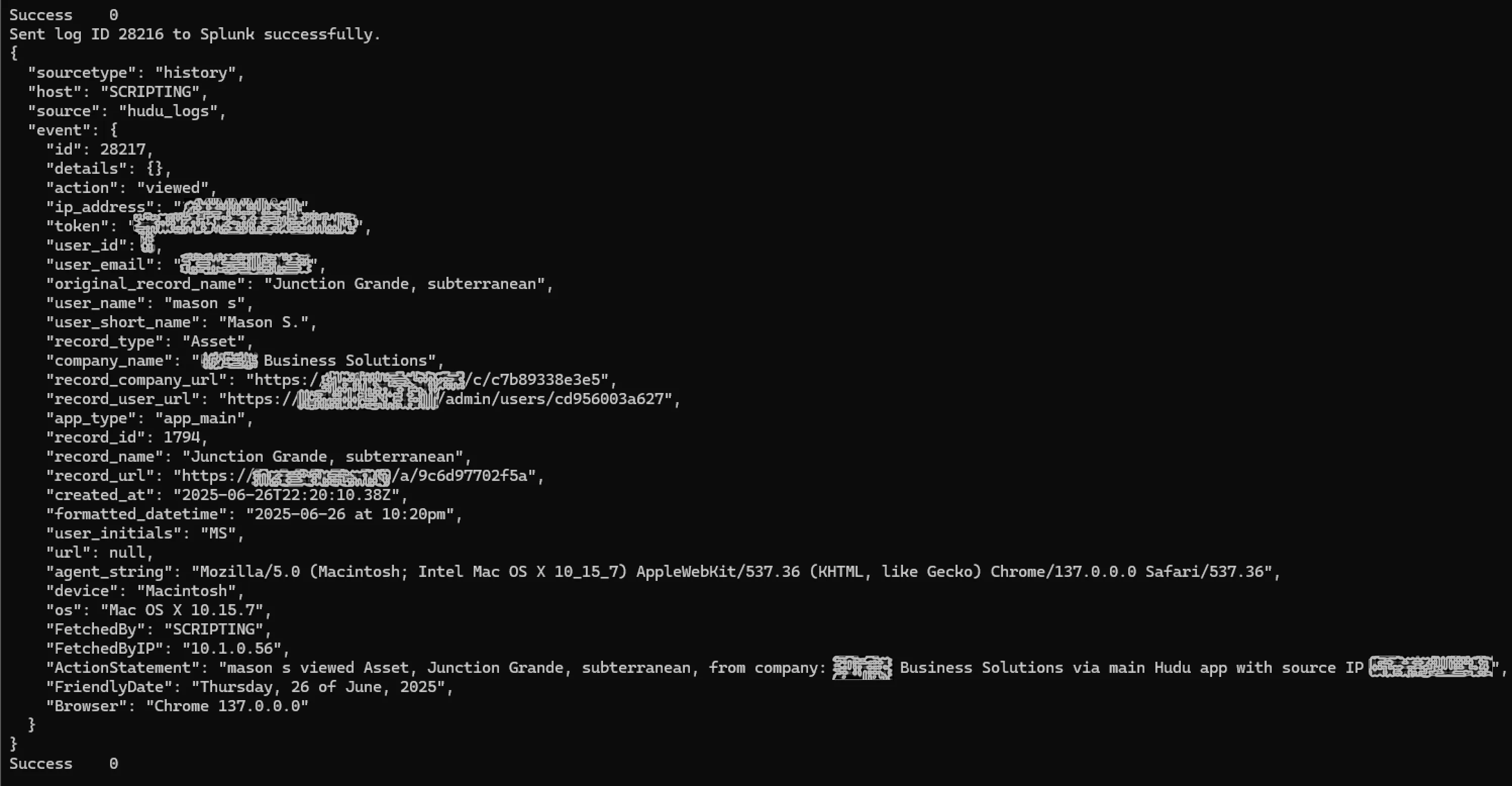
Getting Started
Requirements:
Splunk Cloud account
Active, In-Scope Splunk Token (HEC read/write)
Hudu Cloud or Self-Hosted account
Active, In-Scope Hudu API Key
Powershell 7+
Setup:
If you are using this on a repeated basis, it's recommended to utilize a secrets management solution like Azure Key Vault.
Variables:
First, edit these variables to contain your specific Hudu, Vault, and Splunk info:
AzVault_Name # this is the name of your Azure Key Vault
HuduBaseURL # this is the url for your Hudu instance, example: https://yoururl.huducloud.com
AzVault_HuduSecretName # this is the name of your key vault secret containing your Hudu API key
Splunk_Subdomain # this is the subdomain that your Splunk instance is accessed from
Splunk_sourcename # this is the name of your data source as named in splunk HEC
Splunk_sourcetype # this is the the source type you designated when setting up HEC. It can be main, archive, history. If you aren't sure, just leave on 'history'.
DaysAgo # this is how many days of Hudu Logs to sync
Secrets:
To set up your key vault secrets, create secrets entries with these names in your key vault, which hold your respective secrets:
AZVault_SplunkTokenName= default name is splunk-token for this key vault secret which contains splunk token
AzVault_HuduSecretName= default name is yourhuduapikey for this key vault secret which contains your Hudu API key
Auxiliary:
Filtering:
Filtering log entries is off by default, but can be turned on by setting AllowFiltering to $true in this script.
Filter items out:
You can filter out events in hudu by observable objects. To exclude these in your event sync, leave them in the excluded_objects list.
You can also filter out by action with the list named excluded_actions. These are verbs that we are excluding.
Override key fiiltered items:
For key items that are mission-critical, you can elect to always filtered in certain nouns / verbs, even if they would otherwise be filtered out.
Override these to be filtered in via observable_objects and observable_actions and observable_actions. These are always logged, so if you leave these entries and try to filter items out, they will be overridden!
Running:
Test Run
When you run this for the first time, you can simply run with
. .\Commit_Hudu_Logs.ps1
You may be met with a authentication prompt the first time. Simply log in with a user principal that has access to your Azure Key Vault.
It will collect many log entries that are set in your observable_objects variable which also are in observable_actions
Setup: Splunk
After Logging in, select 'source types' from the top menu bar
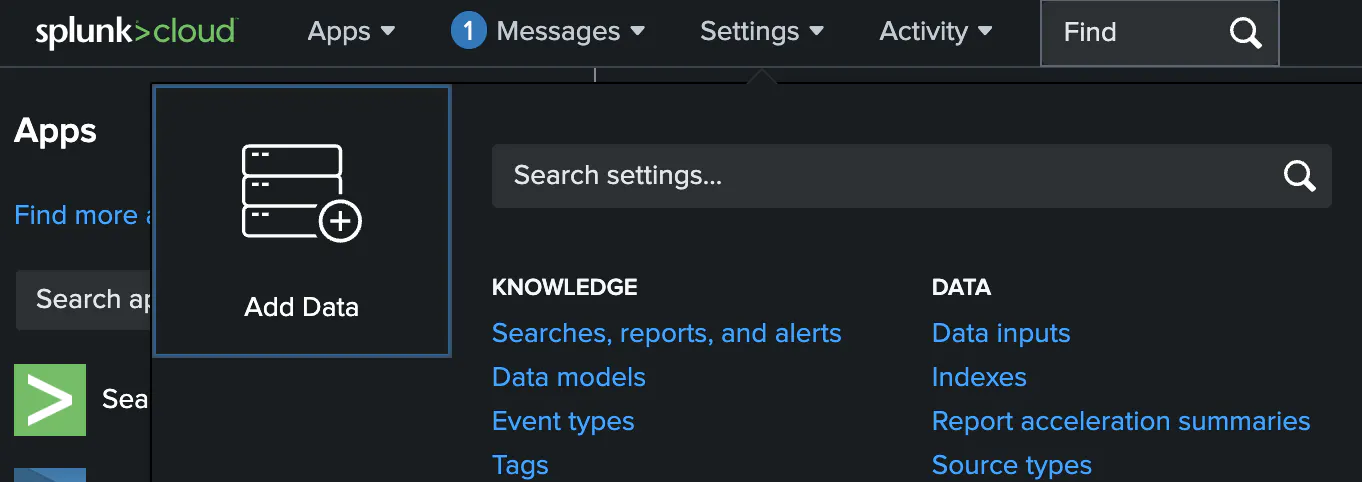
Add an HTTP Event Collector / HEC ingestion method
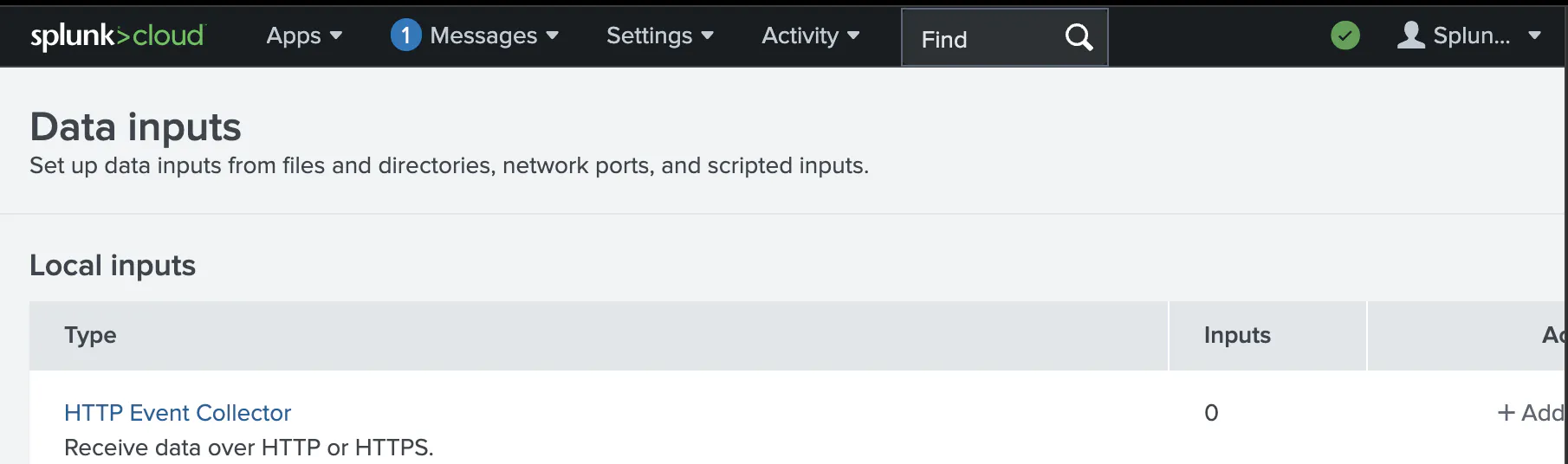
Create a New Token

Take note of your HEC name, which correlates to Splunk_sourcename variable, click 'Next'
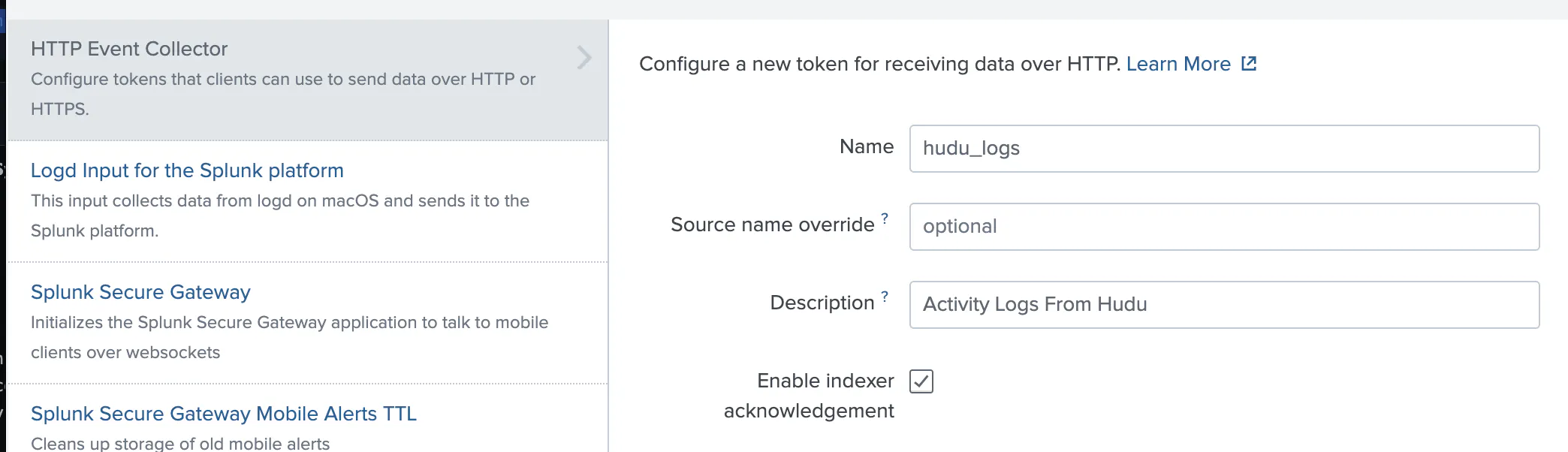
Select Source Type. If you are unsure, select history. Take note of this, as it relates to variable. Splunk_sourcetype. Proceed. Important: Leave the indexer agreement unchecked / false.
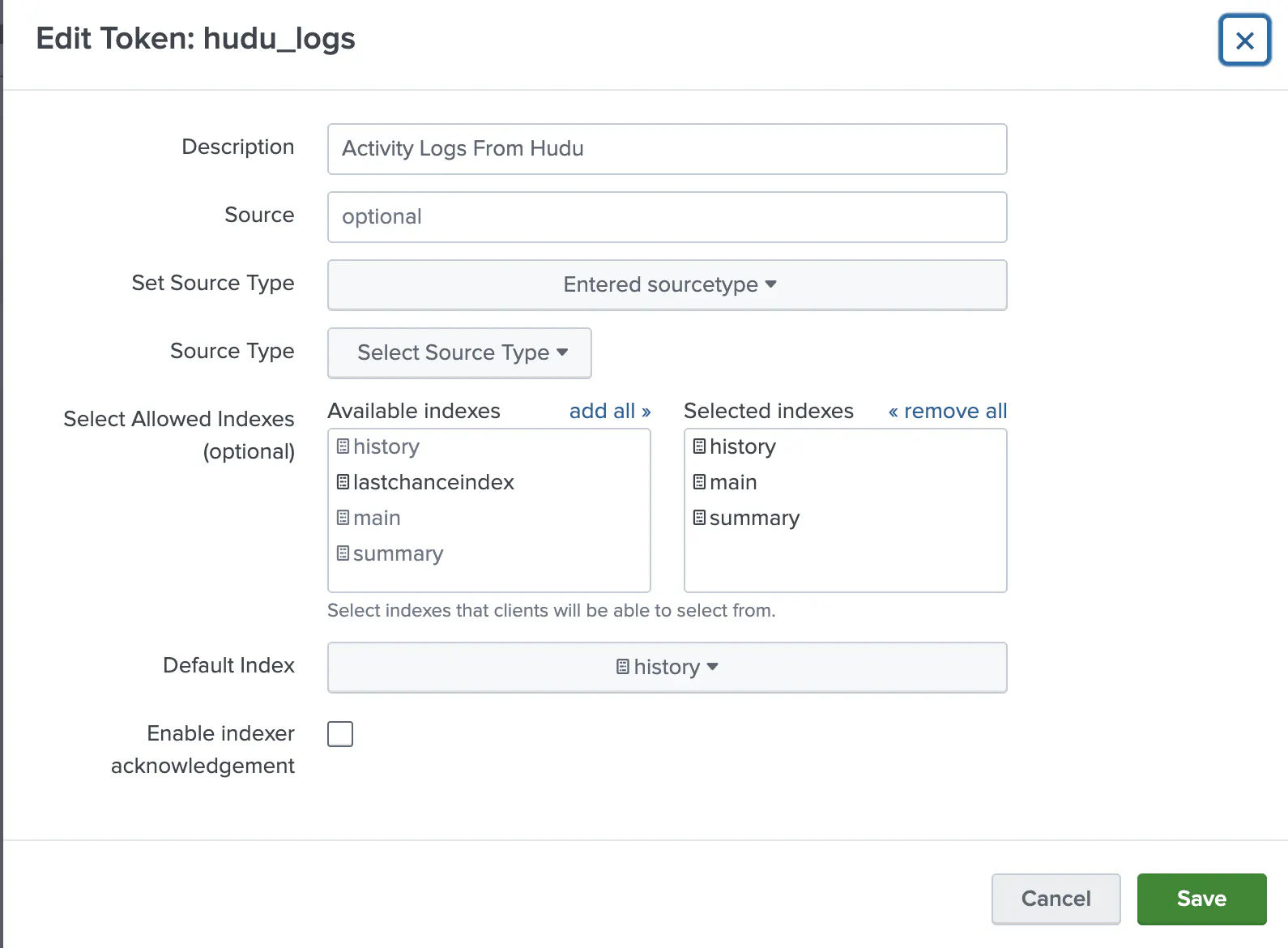
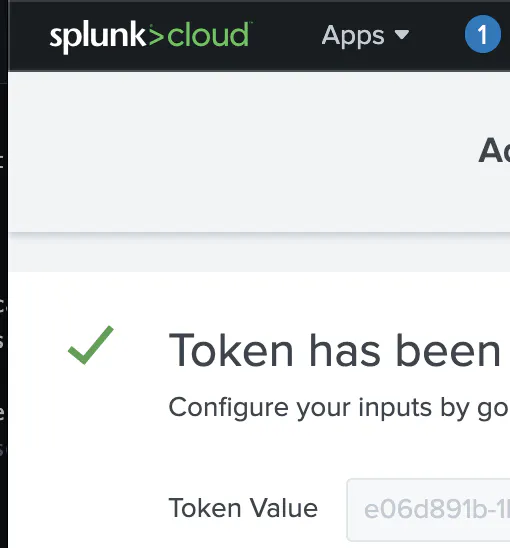
Take note of this now-generated token. It is reccomended to place within Azure Key Store for safekeeping! The default name for this secret is splunk-token from the variable: AZVault_SplunkTokenName. If you change this secret name in the script, be sure the secret name matches what is in your key vault.
Script:
# Usual Secrets Setup
$HuduBaseURL = $HuduBaseURL ?? "https://your_domain.hudu.app"
$AzVault_HuduSecretName = "yourhuduapikey"
$AzVault_Name = "keyvault"

# Enable Http Event Collector
# This is the name of your splunk subdomain where you have a HTTP Event Collector (HEC) Configured
$Splunk_Subdomain="prd-p-e4tyq"

#this is the name of your splunk token in azure vault
$AZVault_SplunkTokenName = "splunk-token"

#this is the name of your data source as named in splunk HEC
$Splunk_sourcename="hudu_logs"

#usually, this is main, archive, history, lastchance, etc.
$Splunk_sourcetype="history"

# Number of days ago to fetch logs for
$DaysAgo = 99

# Turn on/off filtering of log items to specific verb/noun scope
# If action is in excluded noun/verbs list or is not in included noun/verbs list, it will be excluded otherwise
$AllowFiltering=$false


# Objects/Nouns in excluded_objects will be omitted from reporting if AllowFiltering is true
$excluded_objects =@(

)
# Objects/Nouns in excluded_objects will be allowed for reporting. Overrides excluded objects
$observable_objects = @(
    "account",
    "agreement",
    "alert",
    "api",
    "application",
    "article",
    "asset",
    "attachment",
    "product",
    "comment",
    "company",
    "template",
    "type",
    "variable",
    "configuration",
    "sync",
    "dns",
    "domain",
    "duo",
    "job",
    "expiration",
    "export",
    "flag",
    "folder",
    "standard",
    "group",
    "hit",
    "import",
    "record",
    "integration",
    "integrator",
    "invitation",
    "ip",
    "list",
    "log",
    "matcher",
    "name",
    "network",
    "otp",
    "password",
    "photo",
    "pin",
    "portal",
    "procedure",
    "note",
    "recording",
    "relation",
    "restriction",
    "rule",
    "settings",
    "share",
    "sidebar",
    "slug",
    "ssl",
    "tag",
    "time",
    "upload",
    "user",
    "website",
    "whois"
)

#to exclude any actions/verbs, add to excluded_actions. these will be excluded if AllowFiltering is True
$excluded_actions = @(

)
#to include any actions/verbs and override exclusions, you can add them to this list.
$observable_actions = @(
    "signed in",
    "viewed",
    "updated",
    "created",
    "archived",
    "moved",
    "reverted",
    "deleted",
    "viewed",
    "completed",
    "shared",
    "changed",
    "commented",
    "unarchived"
)

# Initialize Modules
Write-Host "Installing and/or Importing Modules, signing into Hudu with API key from Key Vault"
foreach ($module in @('Az.KeyVault', 'HuduAPI')) {if (Get-Module -ListAvailable -Name $module)
    { Write-Host "Importing module, $module..."; Import-Module $module } else {Write-Host "Installing and importing module $module..."; Install-Module $module -Force -AllowClobber; Import-Module $module }
}
if (-not (Get-AzContext)) { Write-Host "AZContext not yet set. Connecting AZ Account... $(Connect-AzAccount)" } else {Write-Host "AZContext already set. Skipping Sign-on."};
Write-Host "Authenticating to Hudu instance @$HuduBaseURL..."

# Authenticate to Hudu
$SplunkToken= $SplunkToken ?? "$(Get-AzKeyVaultSecret -VaultName "$AzVault_Name" -Name "$AZVault_SplunkTokenName" -AsPlainText)"
$SplunkURL = "https://${Splunk_Subdomain}.splunkcloud.com:8088/services/collector"
$HuduAPIKey= $HuduAPIKey ?? "$(Get-AzKeyVaultSecret -VaultName "$AzVault_Name" -Name "$AzVault_HuduSecretName" -AsPlainText)"
New-HuduAPIKey $HuduAPIKey
New-HuduBaseUrl $HuduBaseURL

Write-Host "Getting Splunk Token from azure vault for ${SplunkURL}..."

# Calculate the StartDate and EndDate in ISO 8601 format
$fetch_date=Get-Date
$fetch_date_timestamp=$(Get-Date -UFormat %s)
$StartDate = ($fetch_date).AddDays(-$DaysAgo).ToString("yyyy-MM-ddTHH:mm:ssZ")
$EndDate = ($fetch_date).ToString("yyyy-MM-ddTHH:mm:ssZ")
$localhost_name = $env:COMPUTERNAME
$localhost_ip = [System.Net.Dns]::GetHostAddresses("$($env:COMPUTERNAME)") | Where-Object AddressFamily -eq "InterNetwork" | Select-Object -ExpandProperty IPAddressToString
Write-Host "Fetching Hudu logs from $HuduBaseURL from $DaysAgo days ago until now ($StartDate - $EndDate). Please be patient..."

$activitylogs = Get-HuduActivityLogs -StartDate $StartDate -EndDate $EndDate | `
    ForEach-Object { $_ | Add-Member -MemberType NoteProperty -Name FetchedBy -Value $localhost_name -PassThru } | `
    ForEach-Object { $_ | Add-Member -MemberType NoteProperty -Name FetchedByIP -Value $localhost_ip -PassThru } | `
    ForEach-Object {
        $user        = $_.user_name ?? (($_.user_initials ?? $_.user_short_name) ?? 'someone')
        $action      = $_.action ?? 'did something'
        $recordType  = $_.record_type ?? 'an object'
        $recordName  = $_.record_name ?? ''
        $ipAddress   = "with source IP $($_.ip_address)" ?? ''
        $company     = if ($_.company_name) { "from company: $($_.company_name)" } else { '' }
        $friendlyDate = if ($_.created_at) {
            (Get-Date $_.created_at).ToString("dddd, dd 'of' MMMM, yyyy")
        } else {
            ''
        }
        $browser = if ($_.agent_string -match "Chrome/([\d\.]+)") {
            "Chrome $($Matches[1])"
        } elseif ($_.agent_string -match "Firefox/([\d\.]+)") {
            "Firefox $($Matches[1])"
        } elseif ($_.agent_string -match "Safari/([\d\.]+)") {
            "Safari $($Matches[1])"
        } else {
            "Unknown"
        }
        $appType     = if ($_.app_type) { "via $($_.app_type)" } else { $browser }
        $statement = "$user $action $recordType, $recordName, $company $appType $ipAddress" `
                    -replace ',\s*,', '' `
                    -replace ',\s*$', '' `
                    -replace '\s{2,}', ' ' `
                    -replace 'app_main', 'main Hudu app'
                    | ForEach-Object { $_.Trim() }

        $_ | Add-Member -MemberType NoteProperty -Name ActionStatement -Value $statement -PassThru
        $_ | Add-Member -MemberType NoteProperty -Name FriendlyDate -Value $friendlyDate -PassThru
        $_ | Add-Member -MemberType NoteProperty -Name Browser -Value $browser -PassThru
    }

$Headers = @{
    "Authorization" = "Splunk $SplunkToken"
    "Content-Type"  = "application/json"
}
# Loop through each log entry and send it to Splunk
foreach ($Log in $activitylogs) {
    if ($Log -and $Log.PSObject.Properties.Count -gt 0) {

        $action = $Log.action.ToLower()
        $object = if ($Log.record_type) {
            $Log.record_type.ToLower()
        } elseif ($Log.action -and ($Log.action -split ' ').Count -gt 1) {
            ($Log.action -split ' ')[1].ToLower()
        } else {
            'object'
        }
        $skip_entry = $false

        if ($excluded_actions -contains $action) {
            Write-Host "action in excluded list: $action"
            $skip_entry = $AllowFiltering
        } elseif (-not ($observable_actions -contains $action)) {
            Write-Host "action not in observable list: $action"
            $skip_entry = $false
        }

        if ($excluded_objects -contains $object) {
            Write-Host "object in excluded list: $object"
            $skip_entry = $AllowFiltering
        } elseif (-not ($observable_objects -contains $object)) {
            Write-Host "object not in observable list: $object"
            $skip_entry = $false
        }

        if ($true -eq $skip_entry) {
            Write-Host "skipping: $($Log.ActionStatement)"
            continue
        }

        # Build the payload with the event string
        $payload = @{
            host       = $env:COMPUTERNAME
            source     = "$Splunk_sourcename"
            sourcetype = "$Splunk_sourcetype"
            event       = $($Log | ConvertTo-Json -Depth 10 | ConvertFrom-Json)
        } | ConvertTo-Json -Depth 10
        Write-Output $payload

        try {
            # Invoke-RestMethod -Uri $SplunkURL -Method Post -Headers $Headers -Body $payload -SkipCertificateCheck
            Invoke-RestMethod -Uri $SplunkURL -Method Post -Headers $Headers -Body $payload -SkipCertificateCheck
            Write-Host "Sent log ID $($Log.id) to Splunk successfully."
        } catch {
            Write-Host "Failed to send log ID $($Log.id): $_"
        }
    }
}
remove-variable HuduAPIKey
remove-variable SplunkToken