


'why DropDown when you can ListSelect?' Well, now you don't have to!
See Also: Github Community Repo - Converting Dropdowns into ListSelect
If you have some pesky "legacy" dropdown fields in your layouts, this will help you switch them over to newer ListSelect fields in no time.
Selecting your best course of action will vary, depending on where your instance is hosted. Self-Hosters are reccomended to use this guide, since they have direct access to rails console.
💾 Step 1: Make sure you have a backup
For our cloud-hosted comrades, we recommend that you have a recent backup before proceeding. Automatic backups complete for cloud-hosted persons at the below times every day (with a little extra time sprinkled in for the larger instances to finish.)
00:03 UTC
06:03 UTC
12:03 UTC
18:03 UTC
If you find yourself trapped between these backup windows, you can reach out to support to have them initiate a backup and/or restore.
⚙️ Step 2: Setup Questions
Once you're confident that you have a point in time that you can go back to if needed, you can simply start the attached script. Since it isn't something that you run continuously, you can simply enter your Hudu URL and Hudu API key when prompted.
You'll also be asked just a few questions. Firstly will be 'Which layouts to replace ListSelect for'. Like anything major, it's likely best to start slow and elect to changeover an individual layout.
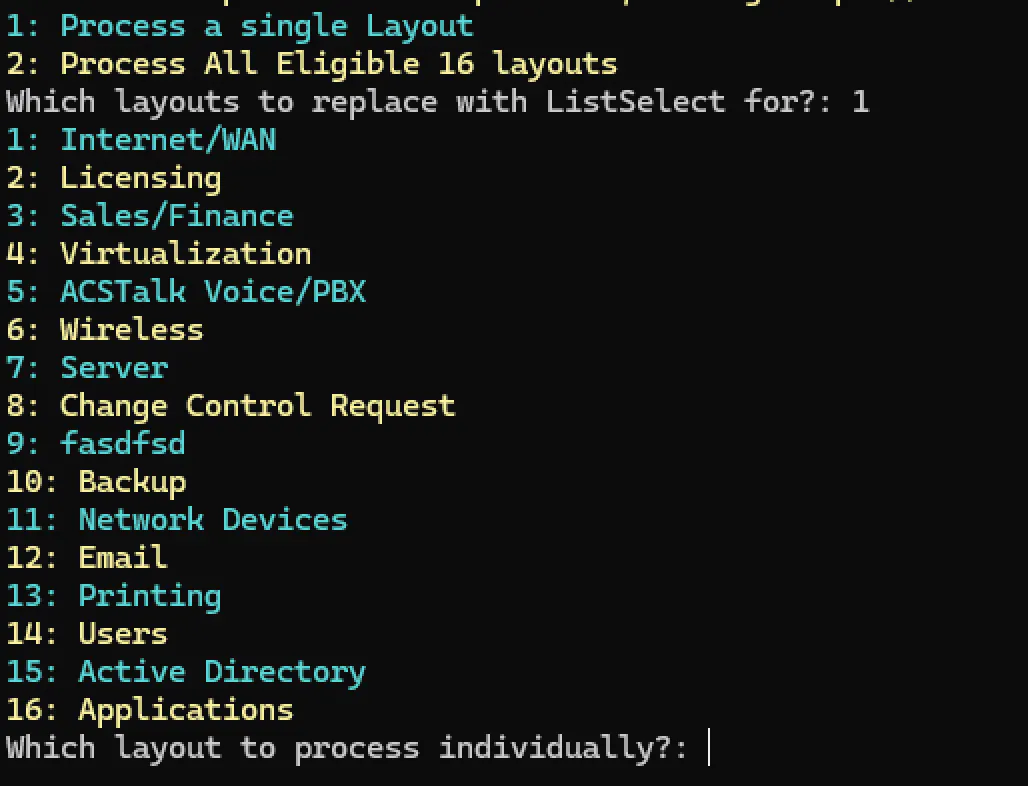
The layouts you have available as options here are strictly layouts that include at least 1 Dropdown Field.
⌛️ Step 3 - Waiting for process to complete
After making your selection and indicating that you have a recent backup- the process will begin and you will see output similar to the example, below.
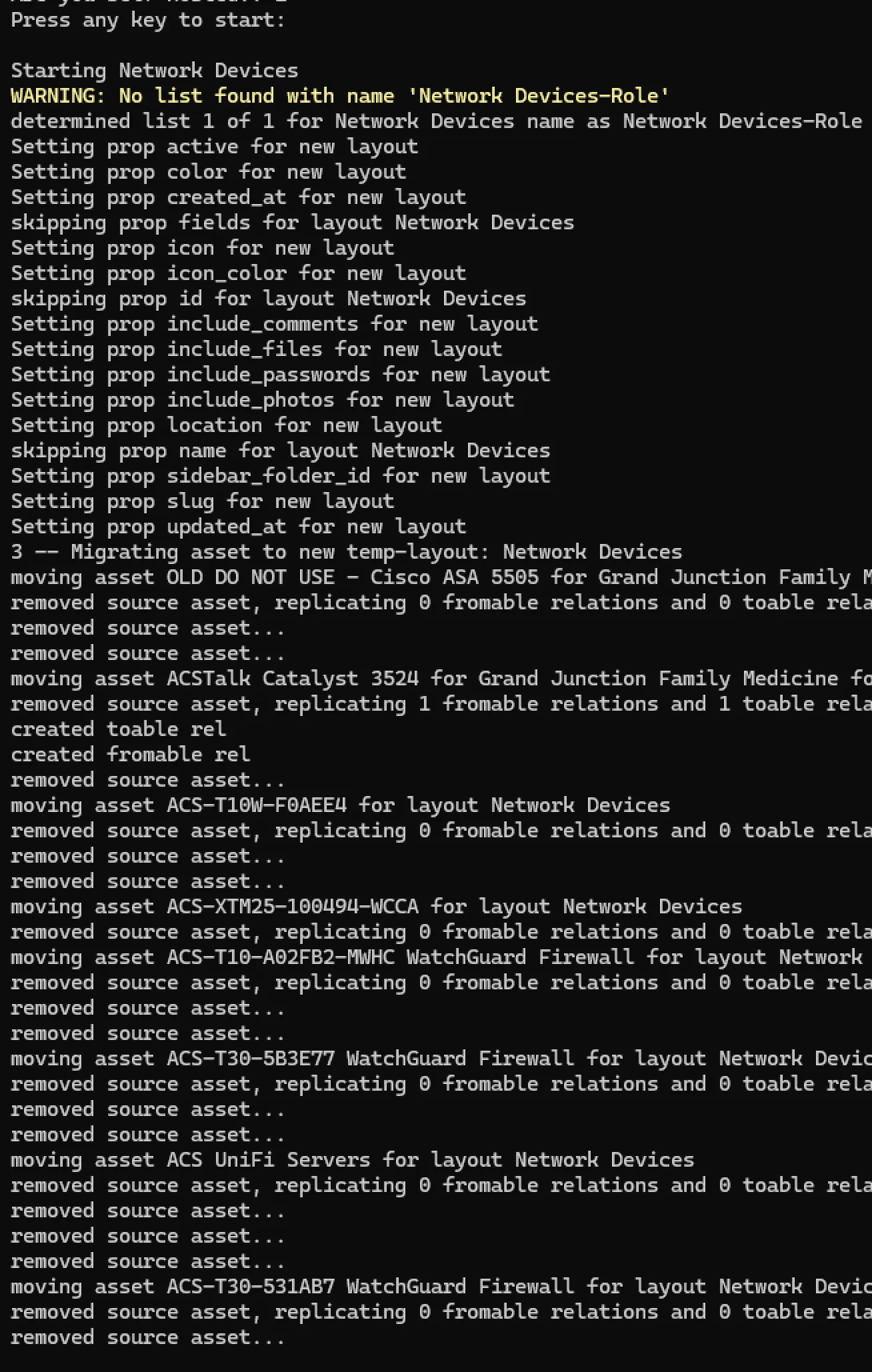
For those technically inclined, the entire process is as follows:
create list for each of the dropdown fields in layout
create a new, replica layout that is identical to source layout, but contains ListSelect fields
create new replica assets for each asset in original layout
re-attach same relations, passwords to new assets, remove original assets
set source layout inactive, rename source layout with suffix of '-OLD'
set new layout as active, rename new layout with original layout name
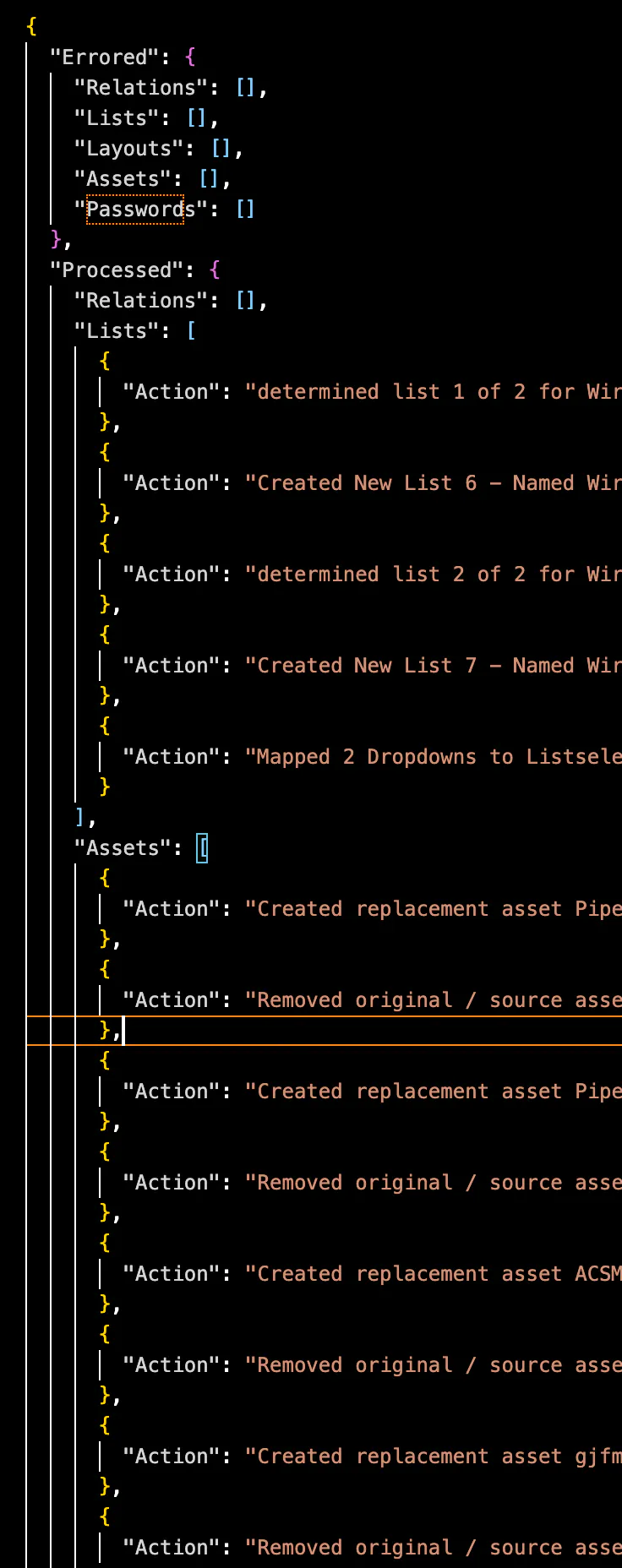
It will complete fairly quickly and will generate a log file.
This log file will potentially contain sensitive information, so be sure to securely remove after viewing!
It will contain the following messages / items in the order that they were processed:
assets, relationships, lists, layouts, passwords that have been created or reattributed
any assets, relationships, lists, layouts, passwords that encountered an issue during processing
And that's it! As simple as one would hope.
🧹 Wrap-Up
Wrapping up, you'll be left with some of your original asset layouts (which are now renamed with suffix '-OLD'). You'll need to manually remove these, as we can't remove these via Hudu API at present.